Browserbase bills browser time by the minute and residential proxy at $10–$12/GB. On a 300,000-page monthly job, proxy overage alone reaches $8,950.
The right Browserbase alternative depends on what breaks first. Hard anti-bot targets (Cloudflare Turnstile, DataDome, Akamai) and 24/7 fleets fit Surfsky. Self-hosting needs open source: Steel. Agent loops with session replay fit Hyperbrowser. Cold-start-sensitive serverless jobs fit Kernel. PDF and screenshot pipelines fit Browserless. All five accept Playwright and Puppeteer over the Chrome DevTools Protocol (CDP).
Key Takeaways
- Default headless Chromium was soft-blocked on 15.2% of the Tranco top 10,000 sites, versus 7.2% in headed mode (University of Bamberg, ARES 2026).
- On Etsy’s DataDome, Browserbase failed all 40 cold runs on Free and Developer plans; a homepage warm-up lifted it to 60–95%.
- Browserbase rounds the first minute up, so an 18-second job is billed at 3.3× its runtime.
- At 900 GB of proxy traffic per month, bandwidth makes up over 80% of the on-demand invoice on Browserbase and Surfsky alike.
- The classic
Runtime.enableconsole trap stopped working after two V8 patches in May 2025; detection moved to fingerprints and behavior.
| Provider | Core Architecture | Anti-Bot Approach | SDK & Protocol | Entry Paid Plan | Proxy Model | Best For |
|---|---|---|---|---|---|---|
| Surfsky | Antidetect Chrome, fingerprint applied in the engine, isolated containers | 2.5M+ real-device fingerprints, built-in CAPTCHA solver, human emulation | Python/TS SDK, CDP (Playwright, Puppeteer), Selenium, Scraping API, MCP server | $0 PAYG ($0.35/hr); plans $29–$199 ($0.20–$0.30/hr); reserved from $0.03/hr | $7–$10/GB premium, 5–50 GB shared, or your own proxy/VPN | Protected targets and 24/7 fleets |
| Browserbase | Hosted Chromium | Basic stealth below Scale; Advanced on Scale | Stagehand, CDP, MCP server | $20/mo ($0.10–$0.12/hr overage) | $10–$12/GB overage | Agent prototyping with Stagehand |
| Steel.dev | Open-source runtime (Apache-2.0), Docker | CAPTCHA solving; stealth browser on Enterprise only | Steel SDK, CDP, MCP server | $0 + usage ($0.10/hr) or self-hosted | $10/GB ($6/GB on Scale) or your own | Self-hosted and sovereign deployments |
| Hyperbrowser | Hosted cloud Chrome + VM sandboxes | Basic stealth + auto CAPTCHA; Ultra stealth on Enterprise | REST API, CDP, SDKs, MCP server | $30/mo (credits, $0.10/hr) | $10/GB residential | Credit-billed LLM agent loops |
| Kernel | Unikraft unikernel VMs | Stealth mode with CAPTCHA solver and proxy | REST API, SDKs, CDP | $0 + usage ($0.06/hr per GB of browser RAM) | Included in usage; BYO on Start-up | Cold-start-sensitive serverless jobs |
| Browserless | Multi-tenant BaaS, self-host option | BrowserQL stealth, auto CAPTCHA | BrowserQL, REST, CDP | $25/mo annual (20K units) | Residential at 6 units/MB | PDF, screenshot, BQL pipelines |
Prices: vendor pricing pages and docs, checked October 28, 2026.
1. The Production Scaling Bottlenecks in Browserbase
Low-volume prototypes rarely hit Browserbase limits. Production workloads with hundreds of parallel jobs hit four of them.
1-Minute Minimum Session Rounding
Browserbase bills browser time by the minute, with the first minute rounded up. An 18-second extraction is billed as 60 seconds. Ten thousand such jobs bill 166.7 hours for 50 hours of real runtime: 3.3× the effective hourly rate. Per-minute rounding is common: Surfsky also bills by the minute, rounded up. Kernel bills per second.
Strict Burst Concurrency and 429 Rate Limits
Concurrency caps at 25 browsers on Developer ($20/month) and 100 on Startup ($99/month). Session creation is capped too: 25 launches per minute on Developer, 50 on Startup.
Filling 100 Startup slots takes about two minutes. Parallel agent sweeps that launch faster get HTTP 429 responses. Orchestrators need backoff, or jobs stall.
Gated Stealth and Proxy Overhead
Browserbase reserves Advanced Stealth for the custom-quoted Scale plan. Developer and Startup get Basic Stealth with automatic CAPTCHA solving.
Proxy bandwidth includes 1 GB on Developer and 5 GB on Startup. Overage costs $12/GB and $10/GB. JavaScript-heavy pages with images burn through that allocation fast.
2. Anti-Bot Defense and the CDP Protocol Trap
Overriding navigator.webdriver with injected JavaScript no longer passes modern anti-bot checks. Detection now combines fingerprinting, automation honeypots, and protocol side effects.
Gundelach, Mühlhauser, and Herrmann (University of Bamberg, ARES 2026 Best Paper Award) crawled the Tranco top 10,000 in four configurations: 40,000 page visits with Playwright, no stealth, datacenter IPs. Their results:
- Headless Chromium was soft-blocked (HTTP 403/429/503) on 15.2% of sites; headed Chromium on 7.2%.
- 772 sites blocked only headless Chromium; just 14 blocked only headed Chromium.
- 82% of 1,554 blocks traced to bot detection; 59% carried vendor signatures (Cloudflare, DataDome, PerimeterX/HUMAN, Imperva).
- 75% of headless-only blocks cleared after fixing HTTP headers (
HeadlessChromein user agent andsec-ch-ua). The other 25% used deeper detection. - 34% of sites probe
navigator.webdriver; 46% probe at least one unambiguous automation signal.
The study counts explicit HTTP blocks only. Fake content served with status 200 is invisible to it, so real failure rates on protected targets are higher.
The V8 Runtime.enable Trap
From 2024, the best-known CDP tell was a side effect of Runtime.enable. Playwright and Puppeteer send it to discover execution contexts. With the Runtime domain on, V8 previewed objects passed to console methods, so a page could plant a trap getter and watch it fire.
A variant of that probe looks like this:
// Example anti-bot inspection probe
// Requires execution before production
(function detectCDPInspection() {
  let detected = false;
  const probe = new Proxy({}, {
    get(target, prop) {
      if (prop === 'toString' || prop === 'valueOf') {
        detected = true;
      }
      return target[prop];
    }
  });

  // Regular headed browsers ignore prototype serialization on console methods.
  // When CDP Runtime.enable is active, V8's inspector serializes console arguments.
  console.groupEnd(Object.create(probe));

  if (detected) {
    window.__botDetected = true;
  }
})();
In May 2025, V8 shipped two patches (“Avoid error side effects in DevTools”, “Apply getter guard throughout error preview”) that stop previews from running page getters. We ran this probe, the classic Error.stack + console.debug probe, and an inherited-stack variant in Playwright on Chromium 141, with and without an explicit Runtime.enable. None fired.
The lesson is not that CDP is safe. Frameworks still leave traces. One example: Playwright fires a __playwright_mark_target__ event whenever it reads or clicks an element, even with tracing off. HUMAN’s script on a large US retailer listens for it, and the second product page showed “press and hold”. Patchright has no patch for it. We documented the case in why we wrote our own SDK.
Detection keeps moving down the stack, to fingerprint consistency, TLS, session history, and behavior.
What 160 Runs on Etsy’s DataDome Showed
We sent the same Playwright script to Etsy’s DataDome-protected search page 160 times, September 29 to October 22, 2026. Cold runs went straight to the search URL; warm runs loaded the homepage first and waited 5 seconds.
| Backend | Cold · straight to search | Warm · homepage first | Median, warm |
|---|
Three findings matter when you pick a Browserbase alternative:
- On the Free plan, proxy requests return HTTP 402. On Free and Developer, advanced stealth returns HTTP 403, Enterprise only.
- Session history, not IP type, decided Browserbase’s result. Residential IPs did not help cold runs.
- Results have a shelf life. Browserbase warm fell from 19/20 to 12/20 in three weeks.
The slowest warm Browserbase run took 334,964 ms, against 34,971 ms on Surfsky. Code and raw CSVs are public: see the full DataDome benchmark.
JavaScript Injection vs. C++ Engine-Level Modification
Most cloud browsers run stock Chromium and inject patches before page scripts load. Injected overrides leave traces: wrapped getters, altered toString() output, inconsistent prototypes. Surfsky’s anti-detect cloud browser patches Chromium at the C++ source instead:
- Native values: fingerprint properties return from the engine, not from
Object.definePropertyoverrides. - Correlated profiles: GPU and WebGL parameters, OS-specific screens and fonts, and CPU-memory pairs come from one real device, weighted toward common hardware.
- Location coherence: timezone, languages, and geolocation follow the proxy exit IP unless you pin them.
Test Your Browser Stack for $5
Run your Playwright code through a real browser and see which requests pass.
- No card required
- API key in 30 seconds
- Change one line of code
3. The 5 Best Browserbase Alternatives
Each Browserbase alternative below is scored on the same four axes: stealth layer, billing unit, proxy model, and protocol support.
3.1 Surfsky: Engine-Level Stealth for Protected Targets
Surfsky hosts antidetect Chrome for automation on sites behind DataDome, Akamai, Cloudflare, and similar systems.
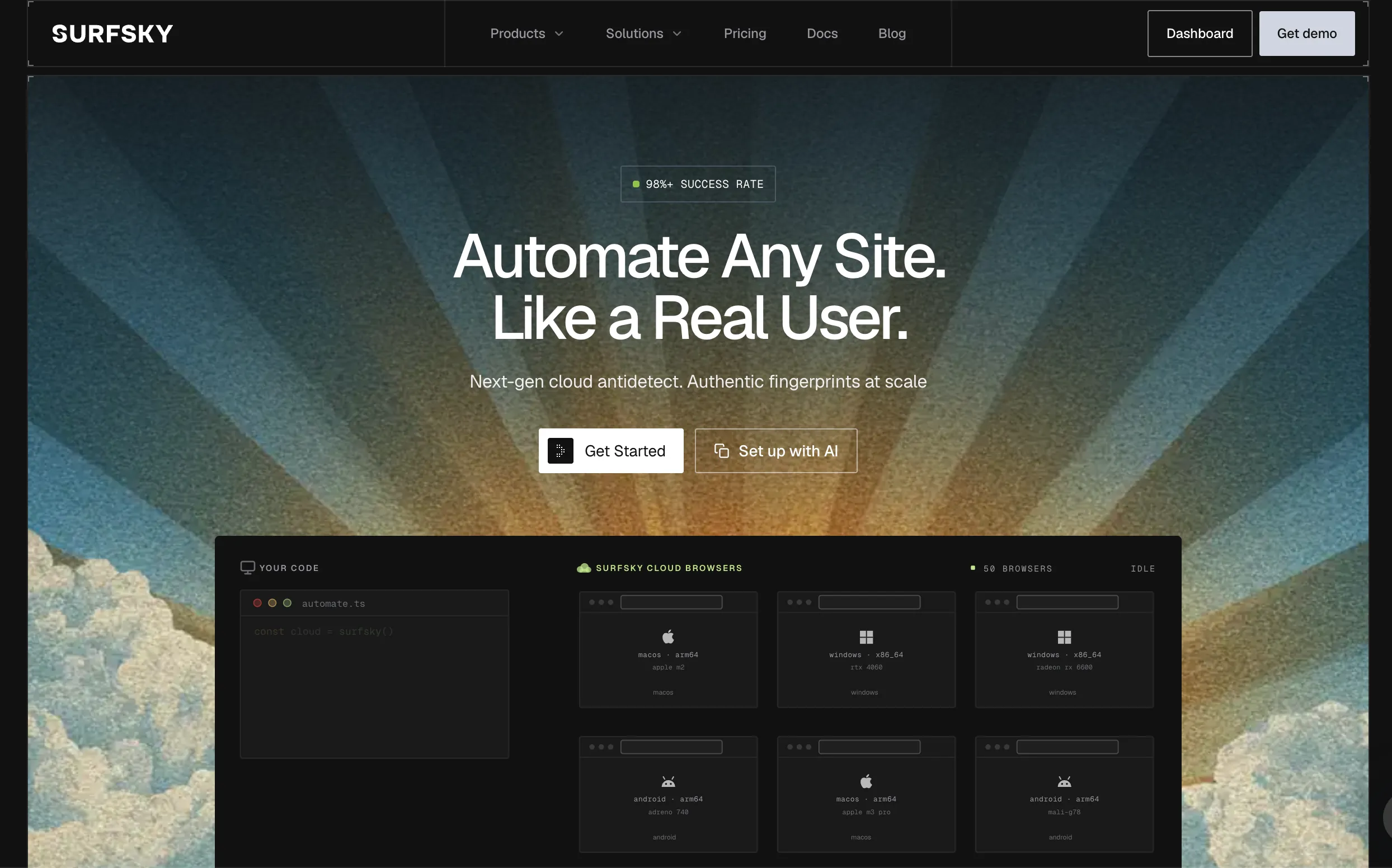
Each session runs in its own container with a private filesystem and network stack. Before Chrome starts, Surfsky connects the proxy, checks the exit IP, and picks a real-device fingerprint to match. Chrome reads that configuration at engine level, so there is no JavaScript override for a detector to inspect. See how fingerprints work.
The built-in CAPTCHA solver works over CDP, manually (Captcha.solve) or automatically (Captcha.autoSolve). Turnstile, PerimeterX, and DataDome slider solves have no separate charge; reCAPTCHA, GeeTest v4, AWS WAF, and FunCaptcha are charged per solve. Human emulation covers mouse, keyboard, and touch input.
Connection options:
- Python and TypeScript SDKs: sessions, profiles, pools, and browser actions without framework-injected scripts.
- Playwright, Puppeteer, chromedp, or Scrapy over the session’s CDP
ws_url; Selenium over ChromeDriver. - Scraping API: send a URL, receive the page content.
- MCP server (
surfsky-mcpon PyPI): 13 tools for Claude Code, Claude Desktop, Cursor, and Codex, fromsurfsky_scrapetosurfsky_act.
Surfsky reports 98%+ success on protected targets, including Hyatt (Kasada), G2 (DataDome), and Lowe’s (Akamai). That makes it the Browserbase alternative built for the hardest pages.
Proxy options: over 100 million residential and mobile IPs with country, city, or ASN targeting, or your own HTTP, SOCKS5, SSH, Shadowsocks, OpenVPN, or WireGuard connection.
Pricing Model: Pay as you go costs $0.35 per browser hour with no monthly fee. Plans at $29, $99, and $199 per month convert the fee into usage credit at $0.30, $0.25, and $0.20 per hour. Billing is per minute, rounded up, with no session time limit. Premium proxy drops from $10/GB to $7/GB by plan; paid plans include 5, 15, or 50 GB of shared traffic. Reserved capacity for 24/7 workloads starts at $0.03 per browser hour. See Surfsky pricing.
- Pros: engine-level fingerprints instead of injected patches; CAPTCHA solver and human emulation on every plan; MCP server and SDKs; reserved fleets from $0.03/hour; bring your own proxy or VPN.
- Cons: per-minute billing; no forever-free tier; some CAPTCHA types billed per solve; MCP server is early (v0.0.3, Python 3.12+).
3.2 Steel.dev: Open-Source Core and Self-Hosted Orchestration
Steel.dev is an open-source browser automation runtime.
Steel fits teams that must own their infrastructure. The core steel-browser repository is Apache-2.0. Run it locally, in a private Kubernetes cluster, or as a managed cloud service.
It works with Playwright, Puppeteer, and Selenium. Session recording, a live viewer, and persistent session state are included. Self-hosted, you connect any proxy provider and pay no platform bandwidth fee.
Pricing Model: Self-hosted: no license fee. Managed cloud Launch: $0/month plus usage, with $30 of one-time credits, $0.10 per browser hour, $10/GB proxy, 10 concurrent sessions, 15-minute sessions. Scale: $250/month, $0.08/hour, $6/GB, 100 concurrent sessions.
- Pros: open-source runtime; no vendor lock-in; Docker self-hosting.
- Cons: the stealth browser is Enterprise-only; 15-minute sessions on Launch; self-hosting needs in-house DevOps.
3.3 Hyperbrowser: Hosted Browsers for AI Agent Loops
Hyperbrowser runs hosted browsers tuned for autonomous agents and LLM-driven navigation.
Hyperbrowser bundles cloud browsers, VM sandboxes, a fetch API, and agent runtimes under one credit balance. Sessions support live view and replay. The fetch API returns pages as Markdown or JSON for LLM context. An official MCP server ships on npm as hyperbrowser-mcp.
Pricing Model: 1,000 credits equal $1. Startup costs $30/month with 25 concurrent sessions; Scale costs $100/month with 100. Browser time is $0.10 per hour, proxy data $10/GB. Agent steps cost extra ($0.02 per step).
- Pros: session replay; built-in HTML-to-Markdown; agent-native API.
- Cons: Basic stealth on self-serve plans, Ultra stealth on Enterprise; $10/GB proxy; credit math is harder to forecast.
3.4 Kernel: Fast Cold Starts via Unikernel Execution
Kernel replaces containers with Unikraft-based unikernel VMs.
A container boots Linux userland before Chromium starts, which adds seconds per cold start. Kernel runs each browser on a dedicated Unikraft unikernel and restores sessions from snapshots. Idle browsers go to standby and stop billing.
On the open-source Browser Arena leaderboard (100 sequential runs per provider, May 2026), Kernel led with 341 ms. For webhook- or queue-triggered jobs, that removes startup timeouts.
Pricing Model: Usage is $0.0000166667 per GB-second of browser memory, about $0.06 per hour per GB, with no charge for idle time or proxies. Plans: Free ($5 monthly credits, 5 concurrent), Hobbyist $30/month (10 concurrent), Start-up $200/month (150 concurrent, bring-your-own proxies). Headless and headful have different rates.
- Pros: fastest measured cold start; per-second billing; bundled proxies.
- Cons: memory-based metering is harder to compare; BYO proxies only from Start-up; younger ecosystem.
3.5 Browserless: High-Throughput Headless Document Automation
Browserless is a mature headless browser platform for document generation, visual regression testing, and data collection.
Its BrowserQL (BQL) language queries and extracts pages server-side, without a local Playwright script. REST endpoints (/pdf, /screenshot, /content) return assets from a single HTTP POST.
In our 240-run benchmark on protected sites, Browserless passed 62 of 80 runs, at an estimated $32.52 per 1,000 runs. It cleared the Turnstile login 10 of 10 times.
Browserless meters in units: 1 unit equals 30 seconds of browser time. Residential proxy costs 6 units per MB; a solved CAPTCHA costs 10 units.
Pricing Model: Prototyping costs $25/month billed annually for 20,000 units and 10 concurrent browsers. Starter is $140/month and Scale $350/month.
- Pros: stable PDF and screenshot rendering; BrowserQL removes local driver dependencies; self-hosting available.
- Cons: 15–60 minute session caps by plan; reconnects consume fresh units; no native agent abstractions.
4. Driver Layer: Stagehand vs. Surfsky SDK vs. MCP
The driver library sets both detection exposure and LLM token cost.
High-Level AI Abstraction: Browserbase Stagehand
Stagehand wraps Playwright with AI primitives:
page.act("click the checkout button")page.extract({ schema })page.observe()
Natural-language instructions replace brittle XPath and CSS selectors. Each step sends page context to an LLM, so token cost grows with page size and step count. Stagehand runs on Playwright, so the default Runtime.enable behavior still applies at the driver level.
Low-Level Direct Driver: Surfsky SDK
Surfsky’s Python and TypeScript SDKs control the browser directly, without the scripts and bindings Playwright, Puppeteer, and ChromeDriver inject into the page. Input goes through human emulation. Pools and map() run many jobs with managed cleanup. There is no AI layer: bring your own agent framework.
Existing Playwright code works too. The SDK starts the session and hands Playwright its CDP URL:
// Source: docs.surfsky.io/quickstart/playwright (October 2026)
// Requires Node.js 24+ or Bun; SURFSKY_API_TOKEN and base URL set
import { chromium } from "playwright-core";
import { Surfsky } from "surfsky";

const client = new Surfsky();
await using session = await client.session();
const browser = await chromium.connectOverCDP(session.ws_url);
try {
  const context = browser.contexts()[0];
  const page = context.pages()[0] ?? (await context.newPage());
  await page.goto("https://example.com");
  console.log(await page.title());
} finally {
  await browser.close();
}
(Reference: Playwright quickstart and Playwright’s connectOverCDP docs. On protected sites, the docs recommend Patchright or rebrowser-playwright plus human-emulation commands.)
Model Context Protocol (MCP) Comparison
The Model Context Protocol (MCP) standardizes how LLM agents call external tools such as browsers.
| Feature | Browserbase | Steel | Hyperbrowser | Surfsky |
|---|---|---|---|---|
| MCP server | @browserbasehq/mcp-server-browserbase (npm, v2.4.3) |
steel-mcp-server (MIT, GitHub) |
hyperbrowser-mcp (npm, v1.0.25) |
surfsky-mcp (PyPI, v0.0.3), stdio or HTTP |
| Client SDK | Stagehand (AI) | Steel SDK | SDKs + HyperAgent | Python/TS SDK (no AI layer) |
| CAPTCHA | Auto-solve, all paid plans | $3/1K solves (Launch) | Auto-solve, all plans | Built in; some types paid per solve |
| Stealth on self-serve | Basic | Not included | Basic | Engine-level, all plans |
All four plug into Claude Desktop or Cursor through MCP. Surfsky’s server runs with one command:
claude mcp add surfsky -e SURFSKY_API_TOKEN=... -e SURFSKY_API_BASE_URL=... -- uvx surfsky-mcpIts surfsky_snapshot tool returns page elements as @N references, and surfsky_act clicks or fills them, so the agent never parses raw HTML. A default session stops after five minutes idle. Separately, a coding-agent skill lets Claude Code or Cursor install the SDK into your project. For agent workloads, see antidetect Chromium for agents. If they fail on protected pages, the browser layer matters more than the MCP wrapper.
5. Head-to-Head TCO: Browserbase vs. Surfsky
Plan prices hide the real bill of any Browserbase alternative. Model a standard pipeline:
- Monthly scale: 300,000 pages.
- Runtime: 18 seconds per page, one session per page.
- Transfer: 3 MB per page, 900 GB total, residential proxy.
- Billing: both vendors round up to the minute, so each session bills 1 minute: 5,000 hours.
Price Your Own Workload
Set your volume, runtime, page weight, session reuse, CAPTCHA share and concurrency. Every plan recalculates with its own billing rules.
Prices checked Nov 3, 2026 on browserbase.com docs and surfsky.io/pricing. Both bill by the minute, rounded up per session.
Show the math
Surfsky plan fees are usage credit, not an extra charge. Turnstile time uses the slowest measured solve: 6 s on Surfsky (5/5 runs), and Browserbase's documented “up to 30 seconds”.
The Cost Reality
Browser Time Billed:
- Both vendors: 300,000 sessions × 1 billed minute = 5,000 hours.
- Real runtime: 300,000 × 18s = 1,500 hours.

Proxy Bandwidth:
- Data Transfer: 300,000 × 3 MB = 900,000 MB = 900 GB.
- Browserbase Startup: 5 GB included; 895 GB × $10/GB = $8,950.
- Surfsky Base: 15 GB shared; 885 GB × $8/GB = $7,080.
- Surfsky Advanced: 50 GB shared; 850 GB × $7/GB = $5,950.

Reserved Fleet:
- Runtime: 300,000 × 18s = 5,400,000 s; a 30-day month has 2,592,000 s.
- Average load: 2.08 browsers; round up to 3 always-on slots.
- 3 slots × 720 h × $0.03/h = $64.80, at the listed "from" rate.| Cost Category | Browserbase (Startup) | Surfsky (Base) | Surfsky (Advanced) |
|---|---|---|---|
| Plan fee | $99 (500 hrs, 5 GB included) | $99 (counts as usage credit) | $199 (counts as usage credit) |
| Browser time, 5,000 hrs | $99 + 4,500 × $0.10 = $549 | 5,000 × $0.25 = $1,250 | 5,000 × $0.20 = $1,000 |
| Proxy bandwidth | 895 GB × $10 = $8,950 | 885 GB × $8 = $7,080 | 850 GB × $7 = $5,950 |
| Total monthly invoice | $9,499 | $8,330 | $6,950 |
| Proxy share of bill | 94% | 85% | 86% |
Proxy, not compute, sets the on-demand bill. Browserbase compute is cheaper per hour; Surfsky Advanced wins on bandwidth price at this volume.
For steady 24/7 work, Surfsky’s reserved fleet changes the picture: about $65 a month for the browsers, plus whatever your own proxy vendor charges for 900 GB. The $0.03 rate is a starting price; confirm fleet size and terms with sales.
Measured costs agree. In our 240-run benchmark, Surfsky with your own proxy cost an estimated $0.48 per 1,000 runs plus proxy traffic, against $26.84 with managed proxy.
Retries change the math further. At failure rate f, effective cost is cost ÷ (1 − f). A 15% block rate adds 17.6% to every line; a 2% rate adds 2%. Measure f on your own targets before choosing.
Reusing one session for several pages cuts billed minutes on both platforms. It does not change proxy cost.
Cost per Successful Page on Protected Targets
A failed run costs the same as a passed one. This calculator uses pass rates and median times from our own published benchmarks, so you can price usable data, not attempts.
| Backend | Pass rate | Median | Cost / 1K usable | Your volume | Time to finish |
|---|
Show the math
Pass rates and medians from our 240-run benchmark (10 runs per cell, Oct 2026) and 160-run DataDome benchmark (20 per cell). Small samples: treat pass rates as ±10–20 points. Failed runs are priced at the median time.
Long Sessions and Logged-In Accounts
Accounts break on consistency, not on a single request. Session caps, profile storage and how a fingerprint stays tied to an account decide whether a login survives a week.
| Platform | Max session length | Saved profiles | HTTP cache across sessions | What keeps an account consistent |
|---|---|---|---|---|
| Surfsky | No session time limit | 10 / 100 / 400 by plan; 1,200+ on reserved | Opt-in shared cache by cache_key | One real-device fingerprint, cookies and IP region kept per profile |
| Browserbase | 15 min Free; 6 h Developer, Startup | Contexts: cookies, storage, user data dir | Not kept: assets refetched each session | Advanced Stealth on Scale only |
| Steel.dev | 15 min on Launch | Session state persists | — | Stealth browser on Enterprise only |
| Browserless | 15–60 min by plan | Reconnects use fresh units | — | BrowserQL stealth |
For a site you return to, keep one profile per account: same fingerprint, cookies and exit region, like a returning customer. Don’t run one fingerprint in many sessions from different IPs at once. Our PerimeterX teardown shows why: HUMAN scores history and pace, so the block lands on the next page, not the first.
6. Architecture Selection Matrix
Pick a Browserbase alternative by your hardest constraint:
| Primary constraint | Platform |
|---|---|
| Turnstile, DataDome, Akamai | Surfsky |
| 24/7 load with your own proxies | Surfsky reserved fleet |
| Data sovereignty, self-hosting | Steel.dev |
| Agent loops, session replay | Hyperbrowser |
| Sub-second serverless cold starts | Kernel |
| PDF, screenshot, BrowserQL | Browserless |
- Choose Surfsky if your data collection scripts hit Cloudflare Turnstile, DataDome, or Akamai, or browsers run around the clock with your own proxies.
- Choose Steel.dev if policy forbids third-party SaaS and your team runs Docker clusters.
- Choose Hyperbrowser if your agents need session recordings and credit billing.
- Choose Kernel if cold starts over one second break your serverless triggers.
- Choose Browserless if your main job is high-volume PDF and screenshot rendering.
7. Next Steps & Implementation
Moving to any CDP-based Browserbase alternative is mostly an endpoint change: both expose standard CDP over WebSocket.
- Create an account and set your API token and base URL.
- Start a session with the SDK or
POST /profiles/one_time, and connect to the returnedws_url. - Set proxy, fingerprint, and profile options in the start request; stop the session when the job ends.
Or give a coding agent one line: “Read https://surfsky.io/SKILL.md and set up Surfsky in this project.” Then follow the quickstart.